Xcode 4.3 IOS 5.1 Cell Sections No Code At All in Storyboard
Great for creative types who hate code - zero zero zero code!
In iPhone and iPad you can make a good app entirely graphically with no code at all.
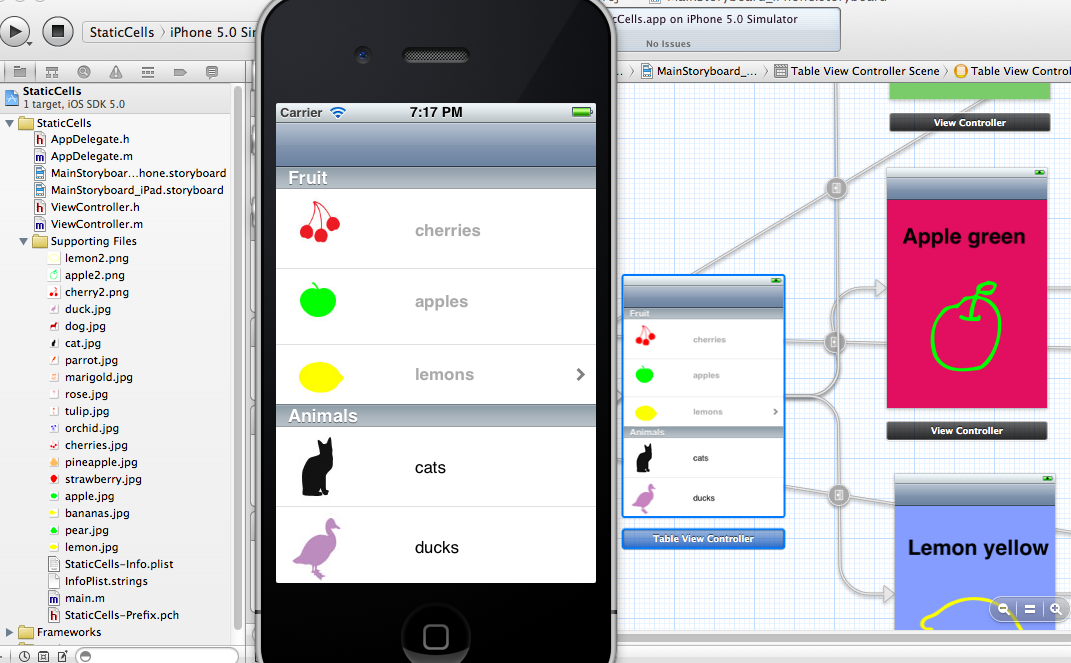
Here is a picture of one - no code at all!:
Click on a cell and you get this:
Click on the apple cell you get this:
Here is the storyboard: a Navigation Controller (as the starter) linked with a relationship to a TableView Controller. Then 'static' cells (the easy ones!) that are called 'custom' are clicked on to bring up View Controllers connected by a 'push'.

You can watch it free and step by step on youtube:
You need some pictures about 40 pixels square and some photos about 300 by 400 pixels for the big View Controllers. Why not make a little quiz? Or show off your photos?
If you want the source code (its in Xcode 4.3, IOS 5.1) then here it is: